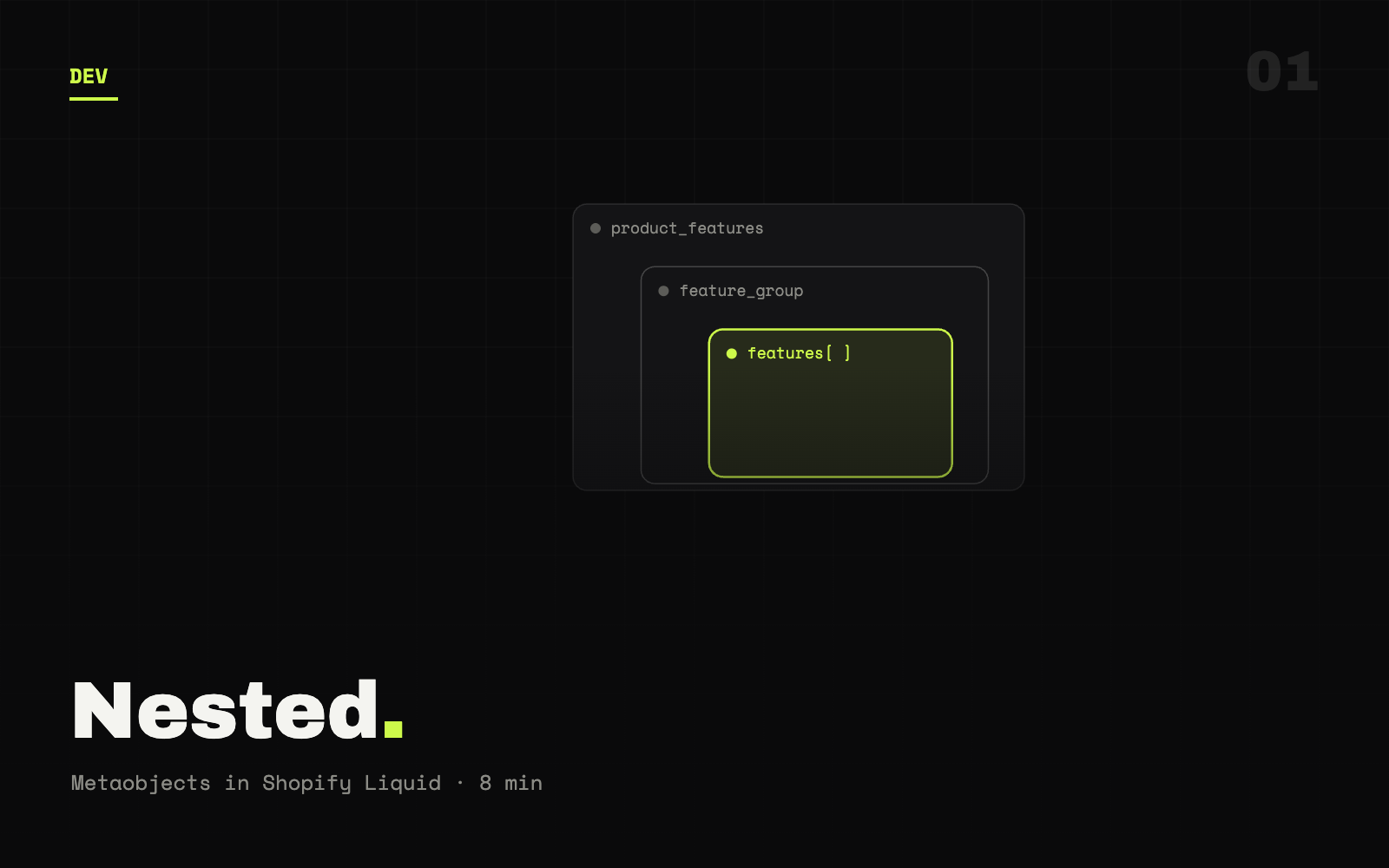
- A metafield extends a Shopify resource; a metaobject is a container of grouped fields you can nest inside one.
- Access the top-level value with
.value, then loop — but don't call.valueon a metaobject, only on metafields. - Always guard nested data with existence checks to avoid Liquid errors and ship a clean fallback.
01 Introduction
To render a metafield that holds a list of metaobjects — each with its own metafield list — assign the top-level metafield's .value, loop the metaobjects, then read each nested metafield's .value inside that loop. The single rule that prevents most bugs: call .value on metafields, never on metaobjects.
That's the short answer. The rest of this guide works through the full pattern step by step — accessing the top-level metafield, looping the metaobject list, handling reference types like images, and adding fallbacks so your templates stay resilient when the data isn't there.
Metafields and metaobjects are how Shopify lets you extend a store with custom data on products, collections, and orders. They're powerful, but nested combinations — a metafield containing a list of metaobjects, each carrying a metafield list — are where Liquid gets tricky. Here's how to handle them cleanly.
02 What are metafields & metaobjects?
Metafields let you store additional data for Shopify resources (products, collections, and so on) beyond the default fields Shopify provides out of the box.
Metaobjects are the more advanced feature: they can contain multiple fields, allowing for complex data structures. A metaobject is essentially a container for grouped metafields, and it can be associated with products or other store elements.
Metaobjects must be defined in the Shopify admin and linked to products via a metafield of type metaobject reference before any of this Liquid will resolve.
03 Common use cases for nested metafields
Here are some scenarios where you'll run into nested metafields and metaobjects:
- Product specifications — a list of specs where each spec is an object with a title and a list of sub-features.
- Custom galleries — a metafield holds a list of galleries (metaobjects), and each gallery contains a list of images (metafields).
- FAQ sections — a metafield stores a list of FAQs (metaobjects), each with a question and a list of related topics.
Now let's dive into how to handle these situations in Shopify Liquid.
04 Worked example
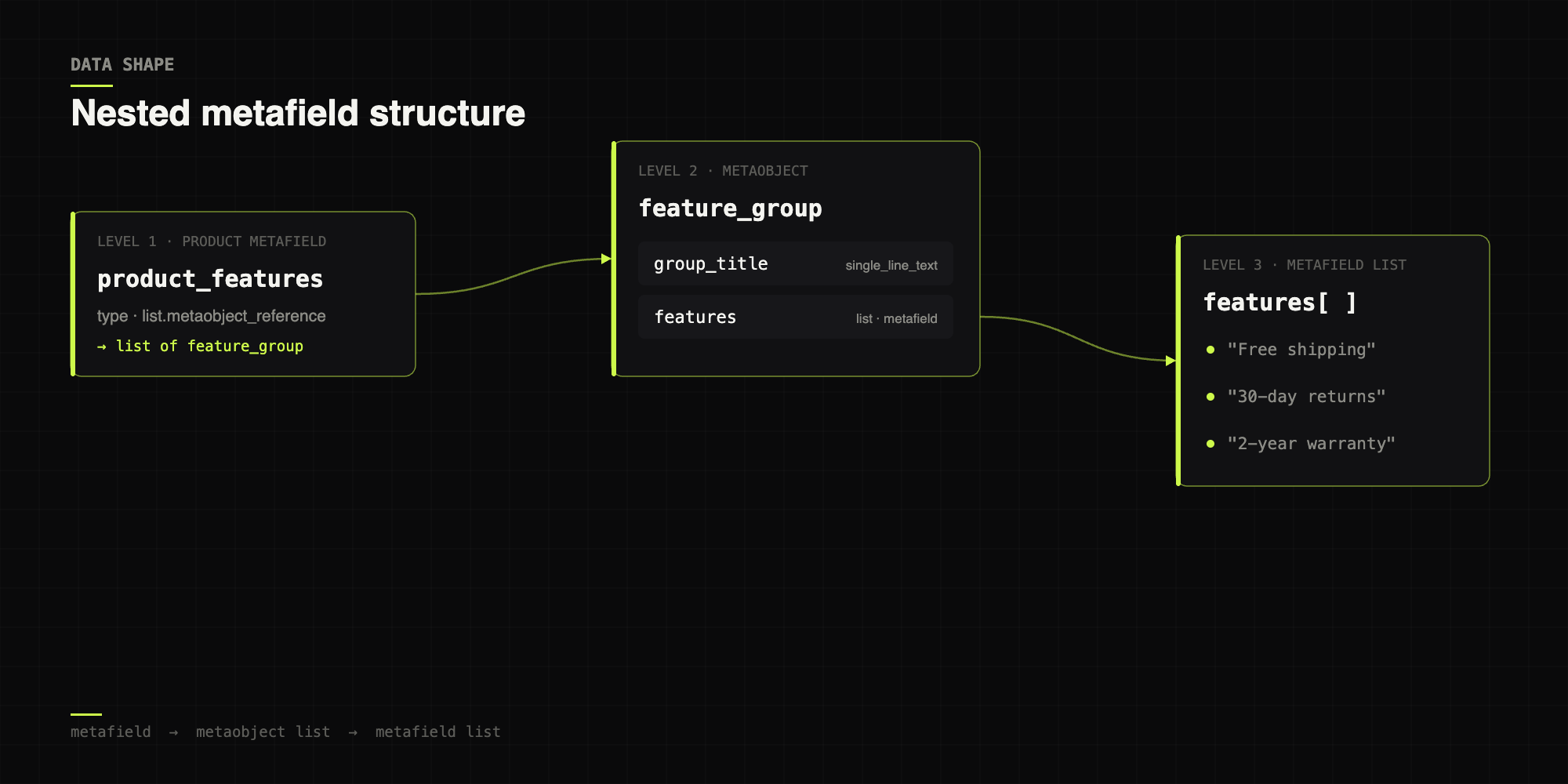
Let's assume a product stores the following data structure:
- Metafield:
product_features- This metafield contains a list of metaobjects.
- Metaobject:
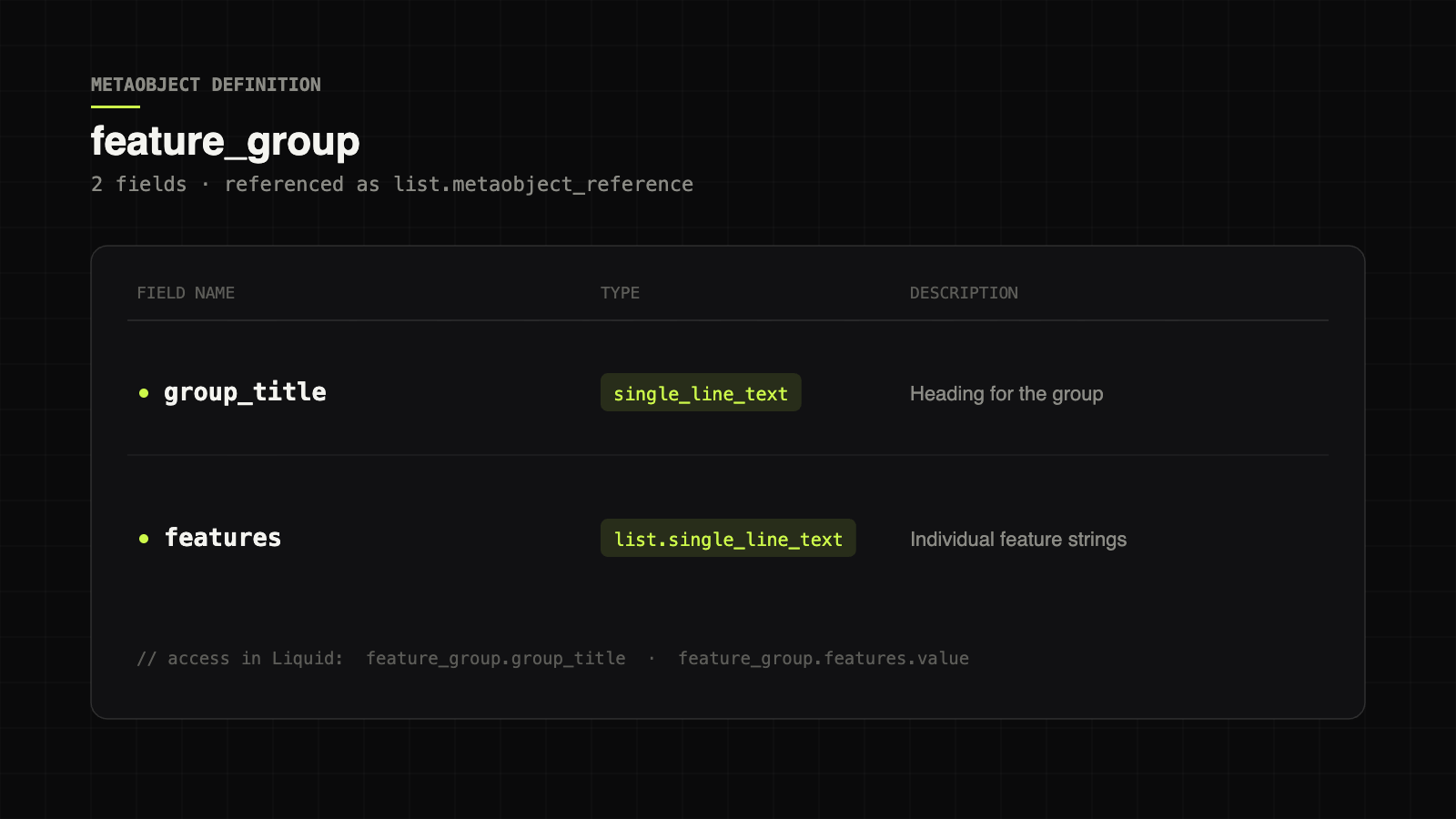
feature_groupgroup_title— the title of the feature group.features— a metafield list of individual features.
- Features metafield:
features- A list of strings (the features of the group).
Here's how to access this nested data in Shopify Liquid.
Step 1 — Accessing the top-level metafield
First, access the product_features metafield on the product object:
{% assign product_features = product.metafields.custom.product_features.value %}Here, product.metafields.custom.product_features retrieves the top-level metafield (a list of feature-group metaobjects). Replace custom with the namespace your metafields actually use.
Step 2 — Looping through the metaobject list
Since product_features is a list of metaobjects, we loop through it:
{% if product_features %}
  <ul>
    {% for feature_group in product_features %}
      <li>
        <h3>{{ feature_group.group_title }}</h3>

        <!-- Step 3: loop the nested metafield list -->
        {% assign features = feature_group.features.value %}
        {% if features %}
          <ul>
            {% for feature in features %}
              <li>{{ feature }}</li>
            {% endfor %}
          </ul>
        {% endif %}
      </li>
    {% endfor %}
  </ul>
{% endif %}
In this example:
- We loop through each
feature_groupin theproduct_featuresmetafield. - For each group we output
group_title. Note we don't usefeature_group.valuehere —feature_groupis a metaobject, not a metafield. - We then retrieve the nested
featuresmetafield and loop it to display each individual feature.
Reach for .value only on metafields. Metaobjects expose their fields directly, so feature_group.group_title already returns the resolved value.
Step 3 — Handling more complex data types
Above, features was a simple list of strings. But metafields can also store references to other objects — images, products, files. Let's adapt the example to a metafield containing a list of image references:
{% assign product_features = product.metafields.custom.product_features.value -%}
{%- if product_features %}
  <ul>
    {% for feature_group in product_features %}
      <li>
        <h3>{{ feature_group.group_title }}</h3>
        <!-- Fetch image references in the metafield -->
        {% assign images = feature_group.features.value %}
        {% if images %}
          <ul>
            {% for image in images %}
              <li>{{ image | image_url: width: 1200 | image_tag }}</li>
            {%- endfor %}
          </ul>
        {%- endif %}
      </li>
    {%- endfor %}
  </ul>
{% endif %}
Here we assume features holds image references, and we use the image_url + image_tag filters to generate responsive image markup.
Step 4 — Adding fallbacks & error handling
Always check the data exists before outputting it. This prevents Liquid errors and gives shoppers a graceful fallback:
{% if features %}
  <ul>
    {% for feature in features %}
      <li>{{ feature }}</li>
    {%- endfor %}
  </ul>
{% else %}
  <p>No features available for this product.</p>
{% endif %}Deeply nested loops over large metafield lists can balloon your render time. Cap the number of items you pull, or paginate, on collection and product templates that load many objects.
“Metaobjects don't take .value — metafields do. Internalize that one rule and 90% of nested-Liquid bugs disappear.”
— INSO engineering playbook
05 Final notes
A quick reference for the gotchas, and where each type of access applies:
| Object | Access pattern | Needs .value? |
|---|---|---|
| Metafield (single) | product.metafields.ns.key | Yes, to read the value |
| Metafield (list) | ...key.value then loop | Yes, before looping |
| Metaobject | object.field_name | No — fields resolve directly |
| Reference (image) | ref | image_url | image_tag | Via the list's .value |
- Namespaces — always use the correct metafield namespace (
custom,global, etc.). - Definitions — metaobjects must be defined in the admin and linked to products via metafields.
- Performance — limit or paginate large nested structures to protect page load times.
06 Conclusion
Working with nested metafield structures in Shopify Liquid looks intimidating at first, but a structured approach makes even intricate data tractable. Once you're comfortable accessing metafields, looping metaobject lists, and reaching into nested metafield data, you can build dynamic, data-driven themes that stay maintainable.
For the canonical field reference, see Shopify's Liquid metafield object documentation. Need a hand wiring metaobjects into a production theme? That's exactly the kind of thing we do — drop us a line.
07 Frequently asked questions
- Do you call
.valueon a metaobject in Shopify Liquid? - No. Use
.valueonly on metafields to read their stored value. Metaobjects expose their fields directly, sofeature_group.group_titlealready returns the resolved value — adding.valuethere returns nothing. - How do you loop a metafield that contains a list of metaobjects?
- Assign the metafield's
.valueto a variable, then iterate it with a{% for %}loop. For each metaobject, read its fields directly and call.valueon any nested metafield list before looping that inner list. - How do you render image references stored in a metafield?
- Read the list with
.value, loop it, and pass each reference through theimage_urlandimage_tagfilters — for exampleimage | image_url: width: 1200 | image_tag. - How do you prevent Liquid errors on missing nested data?
- Wrap every access in an existence check with
{% if %}before outputting it, and provide a fallback in the{% else %}branch so the template renders cleanly when the data is absent.